


CNBC: Business & Stock News
4.58.66K Reviews
App Specs
- Version
- Varies with Device
- Updated On
- License
- Free
- Downloads
- 5,000,000+
- Developer
- Versant Media, LLC
- Categories
- Finance
- Platform
- Android, iOS
Screenshots
 Analysis by AppCompare
I’d start by treating CNBC as a place to follow business coverage, not as a trading app or a substitute for checking financial decisions carefully. The first few minutes matter: if the main screen feels busy or the alerts start to compete for attention, it’s usually worth narrowing what you follow before deciding whether the app suits you. CNBC: Business & Stock News is most useful when you give it a clear job—such as keeping an eye on a few companies or catching major market headlines—rather than expecting every item to be relevant.
When the first session feels noisy
Business news moves quickly, and a broad feed can make important stories hard to distinguish from topics you only follow casually. I’d begin with the sections that match your reason for opening the app. If you mainly want a quick sense of the day’s markets, check that view first; if you’re following a company, use the watchlist as your route back to relevant coverage. That small habit makes browsing feel more intentional.
Notifications are another likely source of friction. A steady stream can be useful during a volatile news day, but distracting when you only want occasional updates. Rather than turning every alert on and then muting the app altogether, I’d make a short list of the topics or stocks that genuinely warrant a prompt. You can still open the app when you have time for broader coverage without asking your phone to interrupt you for every development.
A few sensible checks before relying on it
When a page or stream does not appear to update as expected, I would first check the basics: whether the phone has a working connection, whether the app is current, and whether the relevant alert or watchlist setting is enabled. These are ordinary checks, but they can save you from mistaking a local setup issue for a problem with the news itself. If you are using live video or audio, a stable connection matters more than it does for reading a headline.
It also helps to separate news alerts from price monitoring in your own routine. CNBC is designed around business coverage and market information, so I would not treat a headline notification as a personalized instruction to buy or sell. For a decision involving money, read the story, check the context, and consult the tools or sources you normally use for account-specific details.
How I recover when a routine stops working
If your feed seems less relevant after a while, revisit the watchlist and topic choices instead of starting over. Remove items you no longer follow, keep the ones that help you make sense of current coverage, and then see whether the articles you encounter feel more useful. This is a practical way to reduce clutter without losing the broad business reporting that makes the app worthwhile.
If an alert is missing, I would check both the app’s own alert preferences and the phone’s notification controls. If live content stalls, I’d try a different connection and return to it later rather than assume the entire app is unavailable. These steps do not solve every technical problem, but they help distinguish a setting or connection hiccup from a wider service interruption.
Worth Reading Before You Choose

EA SPORTS FC Mobile 26 Is a Bigger Football Game, but It Takes Time

Flipboard Shows What News Apps Must Do Beyond the Feed

Switching to Android Auto Means Rethinking Your Driving Routine

Google Calendar Makes a Crowded Week Easier to Manage

Ludo King Makes the Most of the Minutes Between Plans

Baby Panda World Brings Quick Play to Modern Phones, but Its Game Library Feels Busy
When a different tool is the better answer
Some problems are not really problems with CNBC. If you need to place trades, see your account balance, or get guidance tied to your personal portfolio, a brokerage app or financial adviser is a better fit. If you want a narrow, quiet digest with little breaking coverage, a newsletter or a more focused news reader may also suit you better. I like CNBC for staying aware of what is moving through the business world, but I would not make it my only tool for every money-related task.
The app is free to download, is published by Versant Media, LLC, and is rated for Everyone. Its 4.5 average from around 104,000 ratings suggests a strong reception, though ratings cannot tell you whether its pace or mix of coverage matches your habits. With more than five million installs, it is a familiar option in finance; in-app purchases range from around $15 to $400 per item, so I would check the current terms in the app before committing to paid content.
My practical test would be simple: choose one market or company you genuinely follow, set only the alerts you need, and use the app for a few days as a news source rather than a trading signal. If that makes it easier to understand what is happening without adding noise, keep it in your routine. If you find yourself dismissing alerts or wanting account tools it does not provide, choose a more focused alternative instead.
Have you ever found yourself wanting to stay on top of the latest business news but feeling overwhelmed by the sheer volume of information out there? I totally get it. That’s why I decided to check out the CNBC: Business & Stock News app. Whether you’re a finance junkie or just someone trying to make sense of the stock market, this app promises to keep you updated with real-time alerts and comprehensive coverage of the financial world. Let’s dive into what makes this app a must-try for anyone interested in business news.
First Impressions: Sleek and User-Friendly
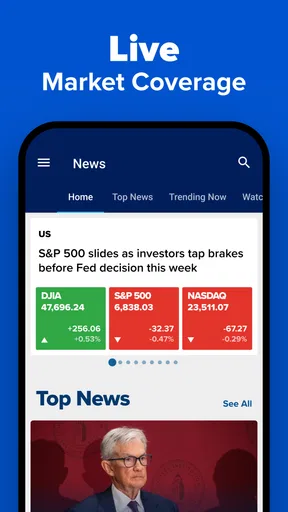
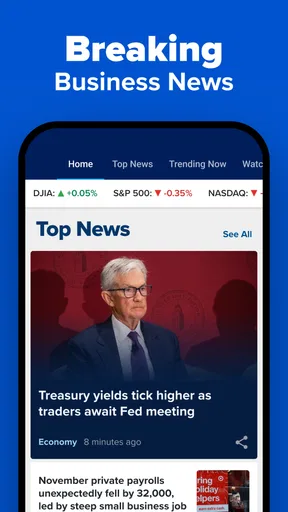
As soon as I opened the app, I was greeted by a clean and intuitive interface. The design is sleek, making it easy to navigate through the various sections. You know how some apps just feel cluttered and overwhelming? Thankfully, CNBC: Business & Stock News is anything but. The main screen is divided into sections like Top News, Markets, and Watchlist, making it straightforward to find exactly what you’re looking for.
The app also offers a personalized experience. You can customize alerts for breaking news and updates on specific stocks or industries. This means you’re not bombarded with notifications that don’t matter to you. It’s like having a personal assistant who knows exactly what you care about and keeps you in the loop.
Stay Informed with Real-Time Updates
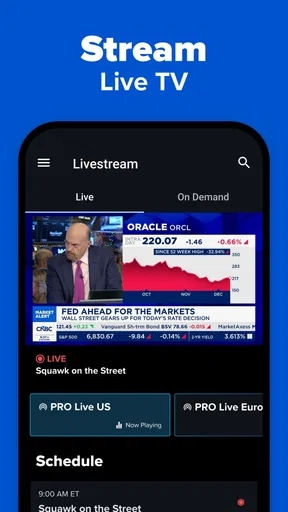
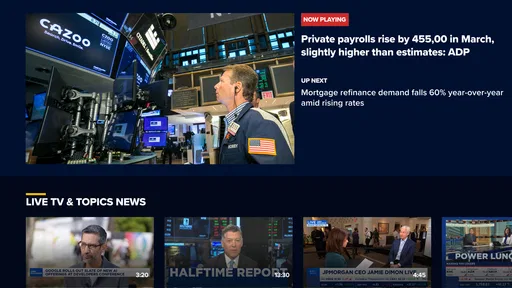
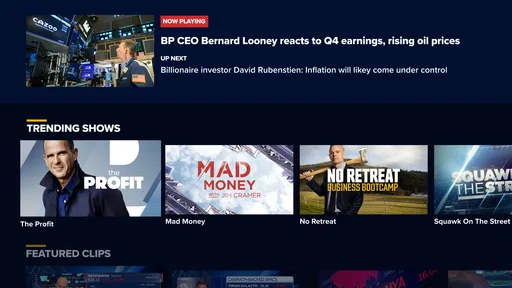
Let’s talk about what really sets this app apart: the real-time updates. Whether it’s a major stock market shift or a breaking news story in the business world, CNBC ensures you’re the first to know. The app provides live streaming of CNBC TV, which is a fantastic feature for those moments when you want to catch up on live broadcasts. I found myself tuning in during lunch breaks to get a quick dose of what’s happening in the market.
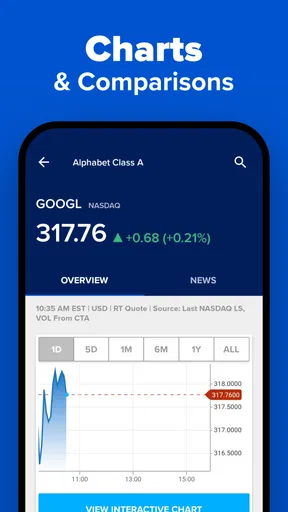
Moreover, the app offers in-depth analysis and commentary from experts. This is invaluable for making informed decisions if you’re dabbling in the stock market. The detailed articles and market insights help you understand the why behind the numbers, which is crucial for anyone looking to make savvy financial moves.
Customization and Personalization
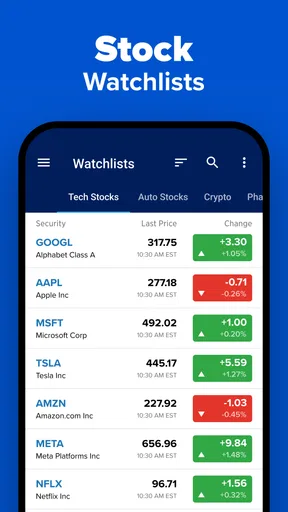
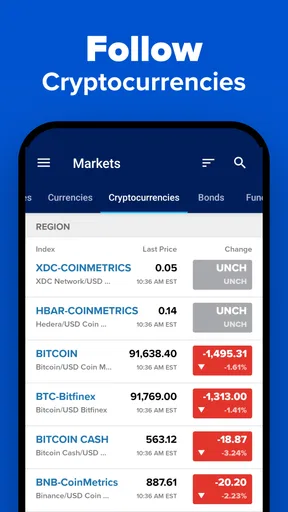
One of the features I really appreciate is the ability to personalize your watchlist. You can add stocks, indices, or cryptocurrencies you’re interested in, and the app will provide tailored news and updates about them. It’s like having a curated news feed that’s all about your interests. I’ve set up my watchlist, and it’s amazing how much more relevant the news feels.
Besides the watchlist, you can select specific topics or industries to follow. Whether you’re into tech, energy, or healthcare sectors, the app has you covered. This customization means you’re always in the loop about developments in industries that matter to you the most.
Exclusive Features Worth Exploring
The app also boasts some exclusive features like the Pro subscription. While the basic version of the app is free, the Pro version offers additional insights and exclusive content that could be beneficial for hardcore investors. The subscription gives access to deeper analysis, investor tools, and even ad-free browsing. I haven’t made the leap to Pro yet, but it’s definitely something I’m considering as I get more into the stock market.
Another cool feature is the ability to listen to CNBC’s podcasts directly from the app. Whether you’re commuting or working out, it’s a convenient way to consume content on the go. The podcasts cover a range of topics, offering everything from market insights to interviews with industry leaders.
Room for Improvement
While there’s a lot to love about the app, it’s not without its quirks. Sometimes, the notifications can be a bit too frequent, especially if you haven’t fine-tuned your alert settings. It’s worth spending a few minutes tweaking these to ensure you’re only getting the news you really want. Also, some users might find the Pro subscription a bit pricey, but that depends on how much value you place on exclusive content and ad-free browsing.
For a realistic routine, I’d open the Markets section during a break to get a broad read, then check the watchlist for developments tied to companies or sectors I already follow. I wouldn’t try to read every alert as it arrives; saving broader browsing for a quieter moment is a better trade-off. That way, breaking coverage can flag a story, while a fuller read helps explain why it matters.
Compared with a general news reader, CNBC gives business and market coverage a more central role, which is useful when financial headlines are the reason you opened your phone. A brokerage app is usually the better destination for account activity and trades, while a broad news app may be preferable if you want politics, culture, and local reporting mixed into one feed. I see CNBC as a focused companion to those tools, not a replacement for them.
One useful way to keep the watchlist from becoming another crowded feed is to treat it as an active shortlist, not a directory of every company you find interesting. Add a stock or index when you have a reason to follow it, then remove it when that reason passes. The benefit is not simply fewer items: it makes the relationship between a headline and the thing you care about easier to spot.
There is also a trade-off between speed and perspective. A quick alert can tell you that a story is developing, but it may not provide enough context for a considered conclusion. I’d use the notification as a prompt to open the coverage when I have time, rather than treating the alert itself as the whole story. That distinction matters especially for newer investors, who may otherwise confuse being first to hear news with being ready to act on it.
For someone who follows markets casually, the app can be a convenient way to build a daily habit without needing to search across several sources. For a person who wants a strict, low-interruption reading experience, its emphasis on timely coverage may feel like too much. I’d start with a small set of interests and expand only if the extra coverage proves useful; there is little value in tailoring a feed so broadly that it recreates the noise you were trying to avoid.
Its audience rating is 4.5, based on around 104,000 ratings, and the app has been available since March 18, 2010. Those details give a sense of its established place in finance, but they are not a promise that every reader will like the same interface or coverage choices. I’d judge it by whether the stories and alerts help you follow the subjects you actually care about.
Despite these minor hiccups, the app delivers a comprehensive business news experience that’s hard to beat. It’s a powerful tool for anyone looking to stay informed in the fast-paced world of finance.
All in all, CNBC: Business & Stock News is a solid choice for anyone interested in staying updated on financial markets and business news. Whether you’re a seasoned investor or a curious newbie, this app has something valuable to offer. Dive in, customize your experience, and enjoy the wealth of information at your fingertips. Trust me, you won’t regret it!
Pros
- Comprehensive market coverage.
- Real-time stock updates.
- User-friendly interface.
- Customizable watchlists.
- In-depth financial analysis.
Cons
- Ads can be intrusive.
- Subscription required for premium features.
- Occasional crashes reported.
- Limited offline access.
- Some regions may face content restrictions.
FAQs for CNBC: Business & Stock News
What features does the CNBC: Business & Stock News app offer?
The CNBC app provides real-time financial market news, live TV streaming of CNBC’s business coverage, and personalized watchlists. Users can track their favorite stocks and receive breaking news alerts tailored to their interests. Additionally, the app offers in-depth analysis and exclusive interviews with industry experts.
Is the CNBC app available for both Android and iOS devices?
Yes, the CNBC: Business & Stock News app is available for both Android and iOS platforms. Users can download it from the Google Play Store for Android devices and the Apple App Store for iOS devices. The app is optimized for both smartphones and tablets, ensuring a seamless experience across devices.
Are there any subscription fees or in-app purchases within the CNBC app?
While the CNBC app is free to download, it does offer premium features that require a subscription. Users can access additional content such as live TV and exclusive reports through a CNBC Pro subscription. Pricing and details about subscription plans can be found within the app under the Pro section.
How can I customize notifications in the CNBC app?
The CNBC app allows users to customize notifications to suit their preferences. In the settings menu, users can select which types of alerts they wish to receive, such as breaking news, market updates, or alerts for specific stocks in their watchlist. This personalization ensures users only receive relevant information.
Does the CNBC app require an internet connection to function?
Yes, the CNBC app requires an internet connection to deliver real-time news updates, live streaming, and data synchronization. While some content may be available offline, such as previously downloaded articles, the full functionality of the app is best experienced with a stable internet connection.


